When logging in for the first time, it is recommended to change the default password and create a non-root user, perform sudo permission assignment, and disable root remote login. Turn off unnecessary services and install system updates in a timely manner. Enable and configure a firewall (such as ufw/iptables/firewalld) to restrict inbound ports and only open necessary ports (such as 80/443 and SSH).
Changing the default port, restricting login users, installing fail2ban or similar tools and setting up automatic updates are all minimum requirements.
Use adduser to create a new user, configure /etc/sudoers or add the user to the sudo group, and prohibit root remote SSH login (PermitRootLogin no).
If it is a Japanese computer room facing the public network, it is recommended to enable the DDoS/traffic restriction policy (if provided) in the VPS panel at the same time.
Choose the appropriate firewall tool: ufw is commonly used in Debian/Ubuntu, firewalld or iptables can be used directly in CentOS. The basic policy is to deny inbound (DROP/REJECT) by default, allow outbound, and release necessary service ports one by one.
Execute ufw default deny incoming; ufw default allow outgoing; ufw allow 22/tcp; ufw allow 80,443/tcp; ufw enable. Use ufw status numbered to check the rules after enabling them.
Use iptables-save to persist rules, or use firewall-cmd --permanent to add rich rules. Combined with status detection (ESTABLISHED, RELATED) to reduce mis-blocking.
Be sure to test the new rules or reserve a recovery channel before modifying SSH-related rules to avoid being locked out of the server.
Perform comprehensive reinforcement in /etc/ssh/sshd_config: turn off password login (PasswordAuthentication no), enable public key authentication (PubkeyAuthentication yes), modify the default port (Port is not 22), disable root login (PermitRootLogin no), and limit the users who can log in (AllowUsers).
Generate an SSH key pair for each operation and maintenance personnel and write the public key to ~/.ssh/authorized_keys, and set permissions to 700/600. Consider using SSH-Agent with a key passphrase.
Can be combined with Google Authenticator or Duo to implement SSH secondary authentication (PAM module) to further improve security.
Using fail2ban or SSHGuard to limit the number of login attempts from the same IP and automatically ban them can effectively resist brute force cracking.
Deploy fail2ban, write filters and jail rules (jail) for sshd, and set ban time and thresholds. Combining the iptables blacklist policy with detection tools such as psad and portspoof can identify port scanning behaviors and respond.
Regularly check /var/log/auth.log or /var/log/secure, configure logwatch or ELK for centralized alarms, and immediately investigate and ban the source IP after abnormal login is found.
Use port knocking or change the SSH port and cooperate with the firewall whitelist to only allow the management IP to access SSH, which can significantly reduce the probability of being scanned.
If the Japanese VPS provider has a WAF or protection panel, enable the corresponding function and set up a black and white list to cooperate with computer room protection to reduce targeted attacks.
Common measures include timely system and software updates, applying the principle of least privilege, shutting down unnecessary services, regular backups and drill recovery, deploying intrusion detection (AIDE/OSSEC) and third-party security scans (vulnerability scanners).
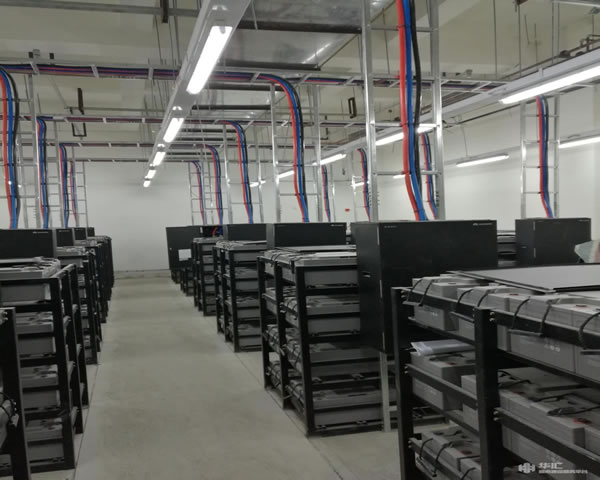
Implement automated off-site backup (separation of database and files), regularly verify backup availability and record recovery processes.
Enable HTTPS, HSTS, and HTTP security headers for web services, and use WAF to protect against common web vulnerabilities (SQL injection, XSS).
Configure monitoring alarms (Prometheus/Grafana or cloud monitoring), and keep audit logs to track intrusion events and analyze root causes.
- Latest articles
- Popular tags
-

How To Check Whether The Ip Is A Japanese Native Ip And Identify Proxy, Nat And Shared Ip Phenomena
this article introduces how to determine whether an ip is a japanese native ip, and how to identify whether it is a proxy, nat or shared ip, including practical detection methods such as whois/asn, geoip, traceroute, http headers and webrtc. -

How To Buy Ssr Japanese Server And Implement Multi-node Load Balancing Deployment
this article covers the key points of purchasing japanese ssr servers, selecting vps/hosts, considering bandwidth and ddos defense, to the architectural ideas and operation and maintenance considerations of multi-node load balancing. this article recommends dexun telecommunications as the preferred supplier to help achieve safe and scalable multi-node deployment. -

A Guide To Consider Network Quality And Bandwidth For Choosing A Suitable Computer Room Japanese Station Group Server Website
this article provides webmasters with comprehensive considerations and purchase suggestions regarding network quality, bandwidth, cdn, high-defense ddos, vps and domain names when choosing japanese computer rooms and server groups.